Last Updated on November 4, 2025 by mcelik

Did you know that about 2% to 3% of the population gets a herniated disc at some time? This condition can cause a lot of pain and discomfort. That’s why finding out if you have one is so important.
Magnetic Resonance Imaging (MRI) is a key tool for spotting herniated discs. It’s very good at showing soft tissues clearly.
An MRI scan lets doctors see the spine and find any problems, like herniated discs. This article will look at how MRI helps find herniated discs and what you can expect during the test.
Key Takeaways
- An MRI is a highly effective tool for diagnosing herniated discs.
- It provides detailed images of the spine and surrounding tissues.
- Accurate diagnosis is key to the right treatment.
- Knowing about the test can make you feel better.
- MRI scans are safe and don’t hurt.
Understanding Herniated Discs
A herniated disc, also known as a slipped or ruptured disc, happens when the soft inner gel leaks out. This leak occurs through a tear in the outer layer. It can cause a lot of pain and is a common spine problem.
What is a Herniated Disc?
A herniated disc occurs when the cushion between vertebrae, called an intervertebral disc, tears or ruptures. This lets the gel-like center bulge out. It can irritate nerves, leading to pain, numbness, or weakness in the back or legs.
The spine has 33 vertebrae, with an intervertebral disc between each. These discs help absorb shock and keep the spine flexible. When a disc herniates, it can disrupt spinal function and cause symptoms.
Common Causes of Disc Herniation
Several factors can lead to a disc herniation:
- Aging: Older people’s discs lose water, becoming drier and more likely to tear.
- Trauma: Severe strain, like from a fall or car accident, can cause a disc to herniate.
- Strain: Improperly lifting heavy objects or repetitive strain can lead to herniation.
- Genetics: Some people may be more likely to have disc problems due to their genes.
Symptoms of a Herniated Disc
The symptoms of a herniated disc vary based on where and how severe the herniation is. Common symptoms include:
- Pain in the back or neck that can spread to the arms or legs
- Numbness or tingling in the extremities
- Muscle weakness in the affected areas
- In severe cases, loss of bladder or bowel control
Understanding herniated discs is key for diagnosis and treatment. Tests like MRI are often used to get a clear picture of the spine’s condition.
The Basics of MRI Technology

Understanding MRI technology is key to seeing its impact in medicine. MRI, or Magnetic Resonance Imaging, is a top-notch tool for seeing inside the body. It has changed how we look at body structures.
How MRI Works
MRI machines use strong magnetic fields and radio waves to show us body structures. They align hydrogen atoms in the body with a magnetic field. Then, radio waves disturb these atoms, causing them to send signals.
These signals help create detailed images of what’s inside us. The technology is complex, using computers to make these images clear.
Types of MRI Machines
There are different MRI machines, like closed MRI and open MRI. Closed MRI machines give sharp images because of their strong fields. Open MRI machines are better for those who are scared of tight spaces, but the images aren’t as clear.
High-field MRI machines work at even higher strengths, giving even clearer images. The right MRI machine depends on what the doctor needs to see.
Advantages of MRI for Spinal Imaging
MRI is an excellent imaging tool for examining the spine as it provides clear images of soft tissues. This helps doctors spot problems like herniated discs and nerve issues. It’s a big help in diagnosing spinal problems.
A study in Radiology shows MRI’s skill in finding nerve injuries. It’s a big plus that MRI doesn’t use harmful radiation. This makes it safer for patients and more reliable for doctors.
MRI’s high accuracy makes it a top choice for spinal imaging. As MRI tech gets better, we’ll see more precise diagnoses and treatments for spinal issues.
Can an MRI Definitively Diagnose a Herniated Disc?
MRI is top-notch for diagnosing herniated discs. It shows soft tissues clearly, which is key for seeing the spine’s details.
Diagnostic Capabilities of MRI
MRI is great at finding herniated discs. It can spot the size and where they are, helping doctors choose the right treatment.
MRI’s advantages in diagnosing herniated discs include:
- High-resolution images of soft tissues
- Ability to detect nerve compression and inflammation
- Non-invasive and safe for patients
When MRI Provides Conclusive Evidence
MRI proves a herniated disc when it shows the disc pushing into the spinal canal and squishing nerves. This info is vital for doctors to decide on treatment, like surgery or not.
MRI Images of Herniated Disks: What They Reveal
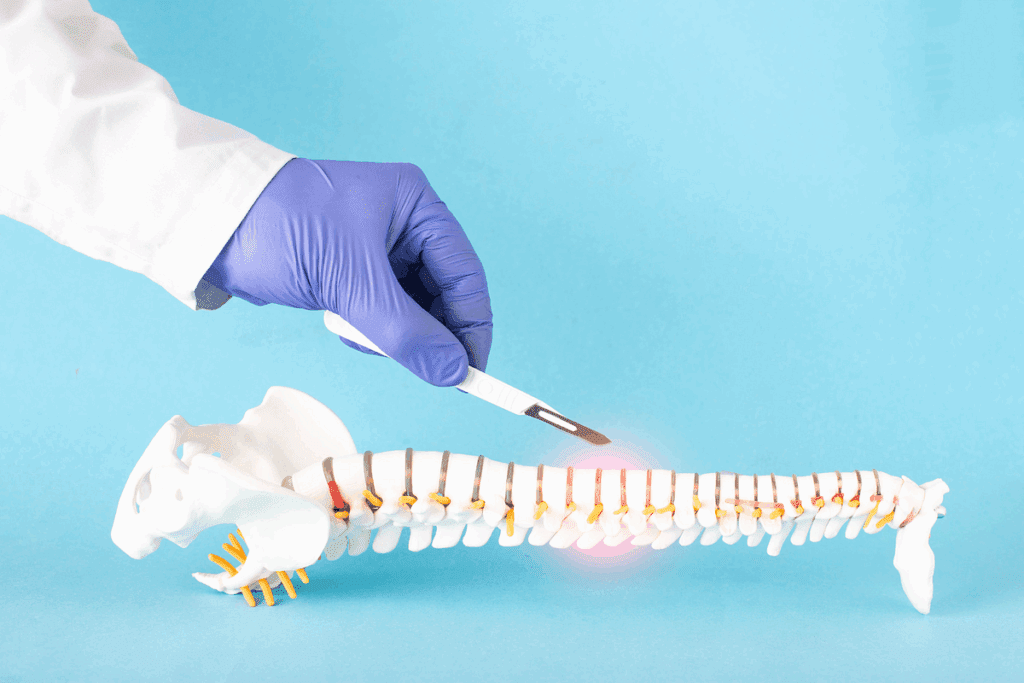
It’s important for doctors and patients to know what MRI images show about herniated discs. MRI technology gives a clear view of the spine. This helps doctors accurately diagnose herniated discs.
Appearance on MRI
Herniated discs look different on MRI, based on where they are and how bad they are. On MRI, a herniated disc sticks out into the spinal canal or neural foramina. This can press on nerves, causing pain, numbness, or weakness.
MRI sequences are key in seeing herniated discs. T1-weighted and T2-weighted images are common. T2-weighted images are best for seeing disc hydration and any tears or herniations.
Different Views and Sequences Used
Doctors use many MRI views and sequences to check herniated discs. Sagittal views show the spine from the side, while axial views show it from above. These views help doctors see how big and where the herniation is.
Sequences like STIR (Short-Tau Inversion Recovery) help see inflammation or swelling from a disc herniation better.
What Radiologists Look For
When looking at MRI images, doctors check a few things. They look at where and how big the herniation is, how much it presses on nerves, and if there’s any narrowing of the spine.
They also check the disc’s signal intensity on different sequences. This tells them if the disc is hydrated and if it might be causing symptoms. This info helps doctors decide the best treatment for the patient.
Comparing MRI to X-rays for Herniated Disc Detection
MRI and X-ray are two different ways to see herniated discs. Each has its own good points and bad points. They are used in different ways to help doctors diagnose.
Can an X-ray Show a Herniated Disc?
X-rays are great for looking at bones. They help find bone problems like fractures and misalignments. But, they’re not good at showing soft tissues like discs.
X-rays can’t see soft tissues like discs, nerves, or the spinal cord.
Even though X-rays can’t directly show herniated discs, they might hint at their presence. They can show changes like a narrowed disc space. But, they’re not reliable for diagnosing herniated discs.
Limitations of X-rays for Spinal Imaging
X-rays can’t see soft tissues well. This makes it hard to find problems with discs, nerves, or other soft tissues. X-rays are also not good at catching early disc problems.
Also, X-rays use radiation, but the amount is usually safe.
- Cannot visualize soft tissues directly
- Limited in detecting early disc changes
- Involves radiation exposure
When X-rays Might Be Used Instead of MRI
Even with their limits, X-rays might be chosen over MRI in some cases. They are faster and cheaper than MRI. X-rays can be a first step to check for other back pain causes like fractures.
In cases where MRI can’t be used, like with metal implants, X-rays can be a backup. But, they’re not as good at finding herniated discs.
In short, while X-rays have their uses, MRI is better for finding herniated discs because it shows soft tissues better.
CT Scans vs. MRI for Diagnosing Herniated Discs
When diagnosing herniated discs, CT scans and MRI are often used. Each has its own strengths and weaknesses. Knowing these differences helps choose the best diagnostic tool.
Detecting Spinal Problems with CT Scans
CT scans use X-rays to show the spine’s details. They’re great for spotting bone problems like spurs and fractures. But, they’re not as good at showing soft tissues like discs and nerves.
Pros and Cons of CT Scan vs. MRI
Comparing CT scans and MRI scans for herniated discs shows their differences. MRI is better at seeing soft tissues, like discs and nerves. CT scans, on the other hand, are quicker, cheaper, and show bones well.
- Advantages of MRI: Better at showing soft tissues, like herniated discs and nerves.
- Disadvantages of MRI: More expensive, can be claustrophobic, and not good for those with metal implants.
- Advantages of CT scans: Quick, less expensive, and good for bones.
- Disadvantages of CT scans: Not as detailed for soft tissues, and involves radiation.
When a CT Scan Might Be Preferred
Even though MRI is usually preferred for herniated discs, there are times when a CT scan is better. For example, if MRI isn’t safe due to metal implants or if the patient is claustrophobic. CT scans are also quicker in emergencies.
In summary, both CT scans and MRIs are useful for diagnosing herniated discs. The choice depends on the patient’s situation, the availability of imaging, and what’s needed for diagnosis.
The Accuracy of MRI in Diagnosing Herniated Discs
MRI is a top choice for finding herniated discs. It’s very good at spotting these problems. This helps doctors make better treatment plans and helps patients get better faster.
Success Rates of MRI Detection
Research shows MRI is very good at finding herniated discs. It can spot even small problems that other tests might miss.
- High sensitivity: MRI is very accurate, so it rarely misses a herniated disc.
- Detailed imaging: MRI shows the spine in great detail. This helps doctors see how big, where, and how bad the herniation is.
Potential False Positives and Negatives
Even though MRI is very accurate, it’s not perfect. Sometimes, it might say there’s a problem when there isn’t, or miss a problem when there is. This can happen for a few reasons.
False positives can mean patients get treatments they don’t need. False negatives can mean patients don’t get the right treatment on time. It’s important to know about these possibilities when looking at MRI results.
Factors Affecting Diagnostic Accuracy
Several things can affect how well an MRI works for finding herniated discs. These include:
- The quality and type of MRI machine used.
- The skill and experience of the radiologist reading the MRI.
- Things about the patient, like their size and any other spinal issues they might have.
Knowing these factors and how to improve MRI imaging can help doctors get more accurate results. This is key to treating herniated discs well.
Different Types of Herniated Discs on MRI
It’s key to know the different herniated disc types seen on MRI for good treatment plans. MRI shows the spine in detail. This helps doctors spot and sort herniated discs correctly.
Bulging Disc vs. Herniated Disc: MRI Differences
A bulging disc and a herniated disc are two different issues. A bulging disc occurs when the disc goes beyond its usual size, but its outer layer stays strong. A herniated disc, though, has a broken outer layer, letting the soft center bulge out.
MRI differences: MRI shows a bulging disc as a soft bulge beyond the spine’s edge. But a herniated disc looks like a clear bulge of disc material outside its usual spot.
Disc Protrusion vs. Extrusion
Disc protrusion and extrusion show how serious a disc herniation is. Disc protrusion means the herniated part is connected to the main disc and stays inside its outer layer. Disc extrusion is when the herniated part breaks free and moves away from the disc.
| Characteristics | Disc Protrusion | Disc Extrusion |
| Connection to Parent Disc | Remains connected | Disconnected or sequestered |
| Containment | Contained within the outer layer | Displaced beyond disc space |
| MRI Appearance | Focal protrusion | Sequestered fragment |
Sequestered Disc Fragments
Sequestered disc fragments occur when the herniated part breaks off and moves away from the disc. On MRI, these fragments look like separate pieces from the main disc. They need careful checking to find where they came from.
Knowing the different herniated disc types on MRI is vital for choosing the right treatment. This could be non-surgical care or surgery.
Cervical Herniated Discs on MRI
Cervical spine MRI has greatly improved how we find and check herniated discs in the neck. The cervical spine has seven vertebrae and six discs between them. These discs can easily get herniated.
Unique Features of Cervical Spine MRI
Cervical spine MRI has special features that make it great for checking herniated discs. It shows clear images of soft tissues like discs, nerves, and the spinal cord. This is key in the neck, where everything is closer together.
Using MRI helps see how discs look, their signals, and if nerves or the spinal cord are being compressed. MRI sequences like T2-weighted images are great for seeing cerebrospinal fluid and nerve roots. This helps spot disc herniations and how they affect nearby areas.
What Cervical Herniated Discs Look Like
On MRI, herniated discs in the neck look like they’re bulging out. The look can change based on the herniation type and the MRI type. T2-weighted images are very good at showing how big a herniation is and its impact on nearby fluids and nerves.
- Cervical disc herniations can press on nerves, causing arm pain, numbness, or weakness.
- The herniation’s location and size decide the symptoms and treatment needed.
Common Locations for Cervical Disc Herniations
Herniations often happen at the C5-C6 and C6-C7 levels. These spots get more wear and tear because of their location and how much they move.
- The C5-C6 level is more likely to herniate because of its high movement and the change from the upper to lower spine.
- Herniations at C6-C7 can also be big, affecting nerves that go to the lower arm and hand.
Knowing where and how herniated discs look on MRI is key to correct diagnosis and treatment. MRI’s detailed images of the cervical spine are vital for managing herniated discs.
Lumbar Herniated Discs on MRI
The lumbar region is often affected by a disc herniation. MRI is a key tool for diagnosing this condition. Herniated discs in the lumbar area can cause a lot of pain and discomfort. This pain often spreads to the lower legs.
Characteristics of Lumbar Spine MRI
Lumbar spine MRI gives detailed images of the vertebrae, discs, and soft tissues around them. It’s great for looking at the lumbar discs, which are more likely to herniate due to stress.
MRI sequences like T1 and T2-weighted images are key for checking the lumbar spine. T2-weighted images are best for seeing how hydrated the discs are and spotting any issues.
Typical Appearance of Lumbar Disc Herniations
On MRI, a herniated disc looks like it’s bulging or broken out of its normal space. This can press on nerves, causing symptoms like sciatica.
The look of a herniated disc on MRI can differ. It might show as a bulging disc, where it bulges but stays together. Or, it could be a more serious disc extrusion, where the disc material breaks through its outer layer.
Most Common Locations for Lumbar Disc Problems
Lumbar disc herniations usually happen at the L4-L5 and L5-S1 levels. These spots get a lot of stress, making them more likely to degenerate and herniate.
| Level | Frequency of Herniation | Common Symptoms |
| L4-L5 | High | Lower back pain, sciatica |
| L5-S1 | High | Lower back pain, sciatica |
| Other levels | Less common | Variable |
Knowing where and how lumbar disc herniations look on MRI is key for correct diagnosis and treatment planning.
Sciatica and Herniated Discs: What MRI Shows
MRI scans are key in finding the cause of sciatica. Sciatica is pain that spreads along the sciatic nerve. An MRI can show detailed images of whether a herniated disc is pressing on the nerve.
How MRI Identifies Nerve Compression
MRI is great at showing soft tissues like nerves and discs. It can spot when a herniated disc is squishing a nerve. Knowing this helps doctors figure out the best treatment.
Nerve compression happens when a herniated disc presses on nerves. MRI scans show how bad this compression is. This helps doctors understand why a patient has sciatica.
Correlating Sciatica Symptoms with MRI Findings
Matching symptoms with MRI results is key to diagnosing. Doctors look to see if the herniated disc, nerve compression, and symptoms match up.
| Sciatica Symptom | Possible MRI Finding |
| Lower back pain radiating to the leg | Herniated disc at L4-L5 or L5-S1 |
| Numbness or tingling in the leg | Nerve compression at the affected level |
| Weakness in the leg or foot | Severe nerve compression or nerve root irritation |
Distinguishing Sciatica Causes on MRI
MRI can tell apart different reasons for sciatica. It can spot herniated discs, spinal stenosis, spondylolisthesis, or tumors. MRI’s detailed images help doctors find the real cause.
With a clear diagnosis from an MRI, doctors can plan the right treatment. This might include non-surgical options or surgery, based on the problem’s severity and type.
The MRI Procedure for Suspected Herniated Discs
The MRI procedure is key for finding herniated discs. It shows detailed images of the spine. Doctors can then check the discs and the tissues around them.
Preparing for your MRI
Before your MRI, there are steps to take:
- Tell your doctor about any metal implants or pacemakers.
- Take off jewelry and clothes with metal.
- Get there early to fill out paperwork.
- You might need to wear a hospital gown for safety.
Always ask your doctor for specific instructions before the scan.
What to expect during the scan
During the MRI, you’ll lie on a table that moves into the machine. Here’s what you can expect:
- The scan is usually painless, but you might feel a bit uncomfortable from lying down for a long time.
- You can talk to the technician through an intercom.
- The machine might make loud noises; earplugs or headphones can help.
The technician will make sure you’re comfortable and give you instructions.
Open vs. closed MRI options
There are two types of MRI machines: open and closed. Closed MRI machines are more common and give clear images. But, they might make some people feel claustrophobic.
Open MRI machines are wider and better for those who get anxious in small spaces. They might not be as clear as closed machines, but they’re useful for diagnosis.
Your doctor will choose the best MRI for you based on your needs and medical history.
Understanding Your MRI Results
Getting your MRI results can feel overwhelming without help. Your MRI report is key to understanding your spine’s health. It gives you detailed insights into your condition.
How to Read Your MRI Report
Your MRI report talks about the MRI type, findings, and conclusion. The findings section lists any abnormalities, like disc herniations or nerve compression. The impression section summarizes these findings and their impact on your health.
When you read your report, look for details on disc issues. It will tell you where and how severe any herniations are. It might also compare to previous scans.
Common Terminology Explained
It’s important to know the terms in your MRI report. Here are some common ones:
- Disc Protrusion: When the disc bulges out but doesn’t break.
- Disc Extrusion: A more serious issue where the disc breaks and goes beyond its usual spot.
- Sequestered Disc: When a piece of the disc breaks off and moves away from the rest.
- Spinal Stenosis: When the spinal canal gets too narrow, it presses on nerves.
| Term | Description |
| Disc Protrusion | Bulging of the disc without rupture |
| Disc Extrusion | Rupture of the disc with material extending beyond its boundaries |
| Sequestered Disc | A broken-off fragment of the disc |
Questions to Ask Your Doctor About Your Results
After looking at your MRI report, talk to your doctor. Ask these questions:
- What does my MRI show, and what does it mean for me?
- What treatments or actions should I take based on the MRI?
- Do I need more tests or scans to check my condition?
- What risks or complications could my diagnosis lead to?
Understanding your MRI results and talking to your doctor helps you make informed choices. This way, you can move forward with your spinal health treatment plan.
Advanced MRI Techniques for Better Disc Visualization
Advanced MRI techniques are changing how we see and diagnose herniated discs. These new methods give clearer images. This helps doctors make better diagnoses and treatment plans.
Specialized MRI Sequences
Special MRI sequences are key for better disc views. STIR (Short-Tau Inversion Recovery) and fat-suppressed T2-weighted imaging show disc and tissue issues. They spot problems like inflammation that regular MRI can’t see.
3D Reconstruction and Modeling
Three-dimensional MRI models are changing how we see spinal anatomy. These models help doctors understand how discs and nerves fit together. This makes planning surgeries easier and helps patients understand their health better.
| Technique | Description | Benefits |
| STIR Sequence | Suppresses the fat signal to highlight pathology | Better detection of inflammation and edema |
| 3D Reconstruction | Creates detailed 3D models from MRI data | Enhanced visualization for surgical planning |
| Dynamic MRI | Captures images during spinal movement | Assesses spinal stability and motion-related pathology |
Dynamic and Weight-Bearing MRI
Dynamic and weight-bearing MRI scans show discs in action. They take pictures when the patient moves or bears weight. This shows problems that don’t show up in regular scans.
As MRI tech gets better, we’ll see more of these advanced methods. This will lead to more accurate diagnoses and better care for patients.
Using MRI to Guide Herniated Disc Treatment
Understanding MRI findings is key to treating herniated discs. Magnetic Resonance Imaging (MRI) is vital for diagnosing and treating herniated discs. It gives detailed insights into the spine’s condition.
Influencing Treatment Decisions
MRI findings shape treatment plans for herniated discs. MRI shows the disc and surrounding tissues clearly. This helps doctors decide the best treatment.
They consider the herniation’s size, location, and any nerve compression.
- The extent of disc herniation and its impact on surrounding nerves
- The presence of any additional spinal conditions, such as stenosis or degenerative disc disease
- The overall health of the spine and the presence of any other conditions that may affect treatment
Tracking Healing Progress
Follow-up MRIs track herniated disc healing. By comparing initial and later scans, doctors see how well the disc is healing. This helps them decide if the treatment is working.
- Initial MRI to diagnose the herniated disc and plan treatment
- Follow-up MRI to assess healing progress and adjust treatment as needed
- Continued monitoring to ensure the disc is healing properly and to address any complications
Indications for Surgery
MRI findings help decide if surgery is needed for herniated discs. If the MRI shows severe nerve compression or disc herniation, surgery might be suggested. The detailed images help surgeons plan the best surgery.
Using MRI, doctors can tailor treatments for herniated discs. This leads to better care and outcomes, whether through non-surgical or surgical methods.
Conclusion
Magnetic Resonance Imaging (MRI) is key in finding herniated discs. It shows detailed pictures of the spine. This helps doctors to spot and treat herniated discs well, leading to better health for patients.
Knowing how MRI works is important for doctors and patients. MRI is very good at showing herniated discs. This makes it a top choice for looking at spinal problems.
In summary, MRI is very important for diagnosing herniated discs. It helps doctors make the right treatment plans. This way, patients get better care and avoid more problems.
FAQ
Can an MRI detect a herniated disc?
Yes, MRI is very good at finding herniated discs. It shows detailed pictures of the spine. This helps doctors see any problems with the discs.
What does a herniated disc look like on an MRI?
On an MRI, a herniated disc looks like a bulge. This bulge goes beyond the normal disc area. It can press on nerves or the spinal cord.
Can an X-ray show a herniated disc?
X-rays aren’t good for finding herniated discs. They can’t see soft tissues like discs. But, X-rays can help rule out other back pain causes, like fractures.
What is the difference between a bulging disc and a herniated disc on MRI?
A bulging disc is a general bulge of the disc. A herniated disc is a specific bulge of disc material. MRI can tell the difference based on how the disc looks and how far it bulges.
How accurate is MRI in diagnosing herniated discs?
MRI is very accurate in finding herniated discs. It has a high sensitivity and specificity rate, usually over 90%. But accuracy can depend on the MRI machine quality, the radiologist’s skill, and other spinal issues.
Can a CT scan detect a herniated disc?
Yes, CT scans can find herniated discs. But, they’re not as good as MRI for soft tissue issues. CT scans are used when MRI isn’t available or needed for detailed bone views.
What are the advantages of MRI over CT scans for diagnosing herniated discs?
MRI is better at showing soft tissues like discs, nerves, and the spinal cord. It’s also more sensitive to disc changes and can spot more spinal problems.
How do I prepare for an MRI to diagnose a herniated disc?
To prepare for an MRI, remove metal objects like jewelry. Also, tell the MRI technologist about any medical implants or conditions that might affect the scan.
What should I expect during an MRI for a herniated disc?
During an MRI, you’ll lie on a table that slides into the machine. You must stay very quiet during the scan. It can take a few minutes to an hour, depending on the scan type and images needed.
How do I understand my MRI results for a herniated disc?
A radiologist will interpret your MRI results. They’ll write a report. Then, your doctor will explain the findings, suggest treatments, and discuss any next steps.
References
- Kaito, T., & Yamato, Y., et al. (2022). The essence of clinical practice guidelines for lumbar disc herniation, 2021: 3. Diagnosis. Spine Surgery and Related Research, 6(4), 325–328. https://pmc.ncbi.nlm.nih.gov/articles/PMC9381081/