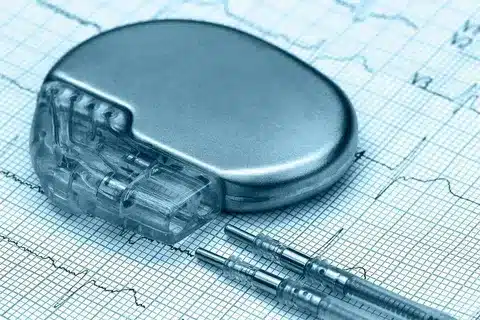
Did you know millions of people worldwide have a pacemaker? It’s a small device that helps control their heartbeat. With cell phones everywhere, many wonder if they can use them safely with a pacemaker.pacemaker pacemakerAtrial Fibrillation Pacemaker: Key Facts
There’s a concern about electromagnetic interference (EMI) from cell phones. It might affect how well a pacemaker works. We’ll look into what’s known and the safe usage guidelines.
It’s key for pacemaker users to know the risks and take steps to stay safe. We’ll guide you through this important topic.
Key Takeaways
- Understand the risks of using a cell phone with a pacemaker.
- Learn about safe cell phone usage with a pacemaker.
- Discover how to reduce electromagnetic interference.
- Explore the latest research and recommendations for pacemaker users.
- Find out how to safely use cell phones with pacemakers.
Understanding Pacemakers and Their Function
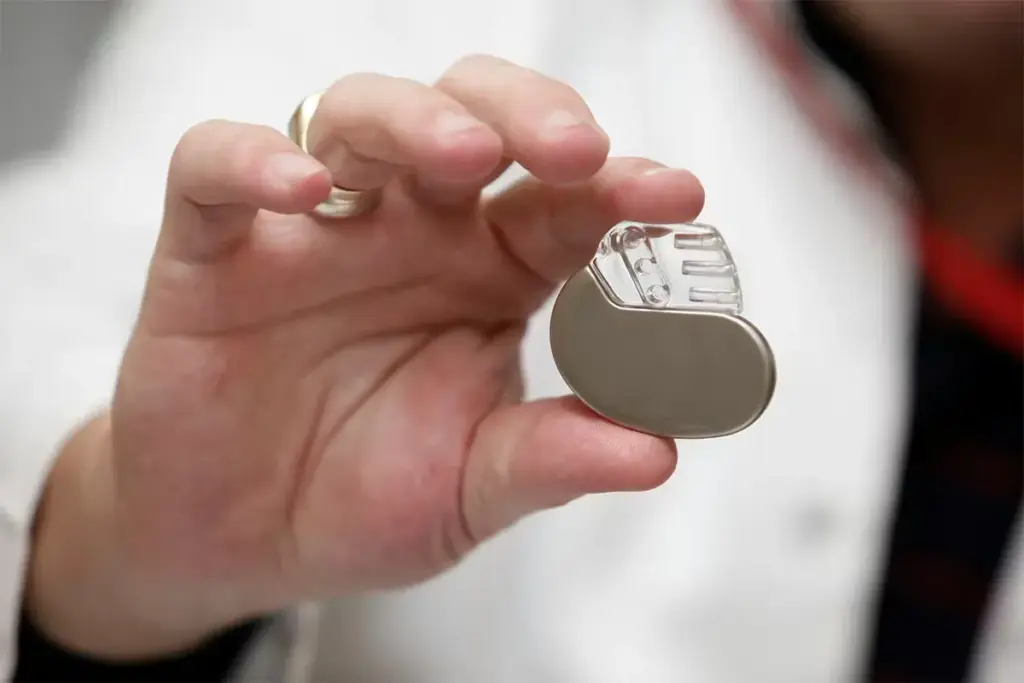
Learning about pacemakers is key for those thinking about getting one. A pacemaker is a small device that helps control the heartbeat. It sends electrical impulses to make the heart muscle contract.
What is a cardiac pacemaker?
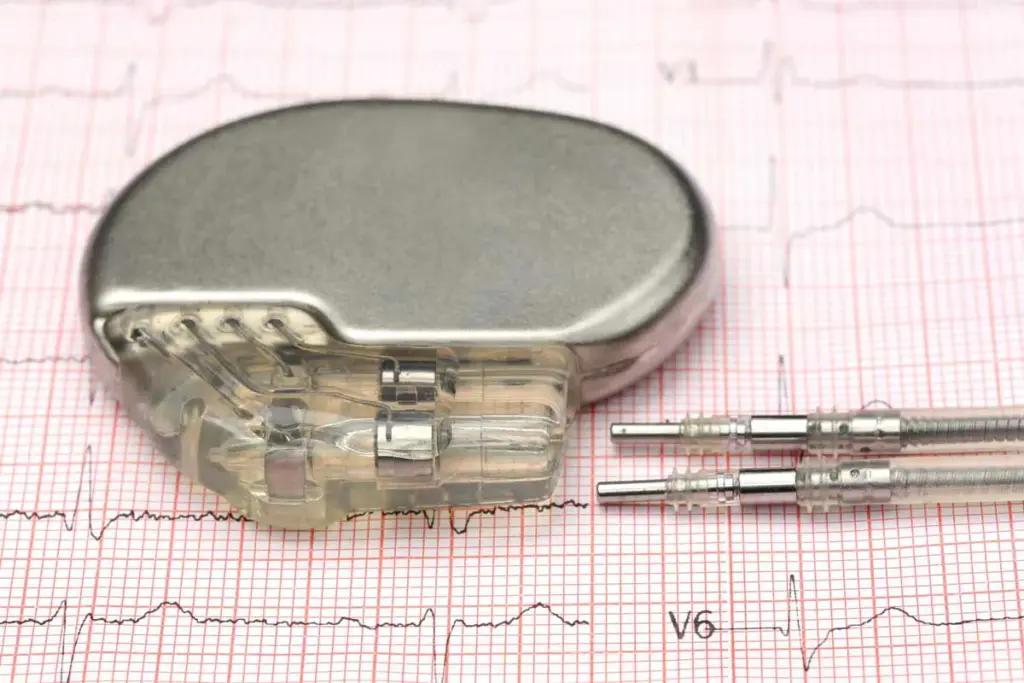
A cardiac pacemaker is a small, battery-operated device. It’s implanted under the skin to manage irregular heartbeats. It ensures the heart beats at a consistent rate.
How does a pacemaker work?
The pacemaker detects the heart’s electrical activity and sends signals to make it beat. It has two main parts: the pulse generator and the leads. The pulse generator has the battery and electronics, while the leads connect it to the heart.
“The pacemaker’s ability to adjust its pacing rate according to the body’s needs is a significant advancement in pacemaker technology.” This feature, known as rate-responsive pacing, lets the pacemaker change the heart rate based on activity.
Types of pacemakers available today
There are many types of pacemakers for different heart conditions. These include:
- Single-chamber pacemakers, with one lead in the atrium or ventricle.
- Dual-chamber pacemakers, with two leads for better pacing.
- Biventricular pacemakers, used in CRT, to sync the heart’s chambers.
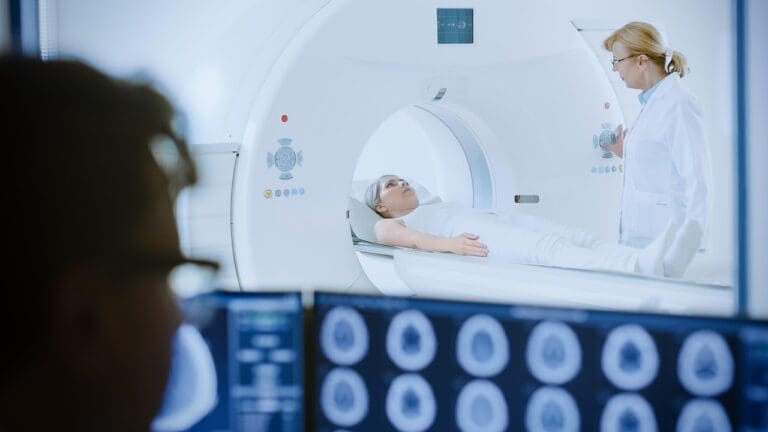
Advances in pacemaker technology have led to MRI-compatible pacemakers. This lets patients have MRI scans without risking device malfunction.
When Is a Pacemaker Necessary?
Doctors decide to put in a pacemaker after they find certain heart problems. A pacemaker is a small device in the chest. It helps control the heartbeat at a normal rate for people with abnormal rhythms.
To understand when a pacemaker is needed, we look at heart conditions and symptoms. We’ll talk about the heart problems that need a pacemaker, the signs to look for, and how doctors figure it out.
Common Heart Conditions Requiring Pacemakers
Several heart conditions might need a pacemaker. These include:
- Atrioventricular (AV) Block: A condition where the electrical signals between the heart’s chambers are partially or completely blocked.
- Bradycardia: A condition characterized by a slow heart rate, typically fewer than 60 beats per minute.
- Sick Sinus Syndrome: A condition where the sinus node, which regulates the heartbeat, does not function properly.
- Heart Failure: In some cases, pacemakers are used to help the heart’s chambers beat in sync, improving the heart’s efficiency.
Signs You Might Need a Pacemaker
Knowing the signs for a pacemaker is key. Common symptoms include:
- Dizziness or Lightheadedness: Caused by inadequate blood flow due to a slow or irregular heartbeat.
- Fatigue: Feeling unusually tired or weak, which can be a result of the heart not pumping efficiently.
- Shortness of Breath: Difficulty breathing or feeling winded even when sitting or doing light activities.
- Fainting or Near-Fainting Spells: Episodes where an individual might pass out or feel like they are going to pass out.
If you’re feeling these symptoms, see a doctor for an evaluation.
Diagnostic Process for Pacemaker Candidates
To see if a pacemaker is needed, several tests are done. These tests include:
|
Diagnostic Test |
Description |
Information Gained |
|---|---|---|
|
Electrocardiogram (ECG) |
Records the electrical activity of the heart. |
Identifies irregular heart rhythms. |
|
Holter Monitor |
A portable device that records heart activity over 24 to 48 hours. |
Captures intermittent irregularities in heart rhythm. |
|
Echocardiogram |
An ultrasound test that evaluates heart function and structure. |
Assesses the heart’s pumping efficiency and structure. |
These tests help doctors know if a pacemaker is needed.
The Pacemaker Implantation Procedure
Learning about pacemaker implantation can ease worries for patients and their families. The procedure is commonly performed and has significantly improved over time, ensuring both safety and effectiveness.
Preparing for Pacemaker Surgery
Before pacemaker surgery, patients get tested to check their health. They might have blood tests, electrocardiograms, and chest X-rays. It’s important to follow the doctor’s instructions about medication and fasting.
Patients should also plan for someone to drive them home. They might be sleepy from sedatives. Talking to the doctor about any worries or questions is key in surgical preparation.
What Happens During the Implantation
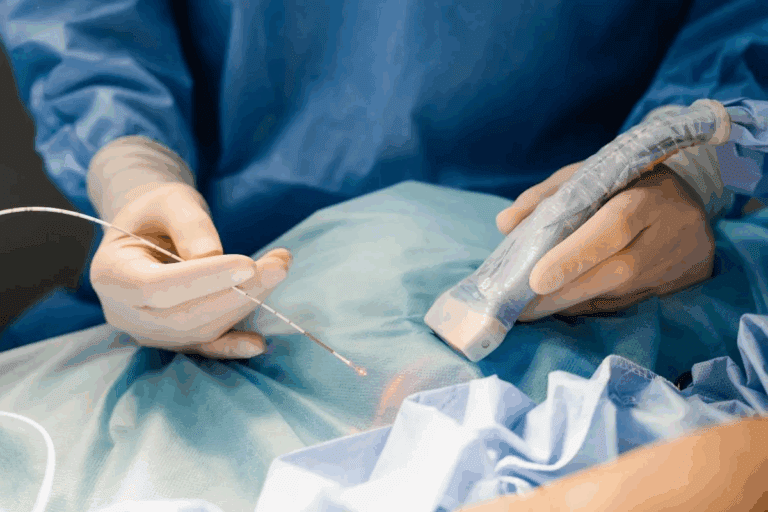
During the implantation procedure, local anesthesia numbs the area. The surgery happens in a special room. A small cut is made in the chest, and the pacemaker leads go through a vein into the heart.
After the leads are in place, the pacemaker generator is connected and put under the skin. The whole process is watched closely with X-rays and electrocardiography.
How Long Does Pacemaker Surgery Take?
The time for pacemaker surgery varies, but it usually takes 1 to 2 hours. But, it might take longer if the case is complex or if there are complications.
After surgery, patients are watched for a short time. The medical team will give them instructions on care and follow-up visits.
Recovery After Pacemaker Surgery
Recovering from pacemaker surgery needs careful care and activity levels. It’s important to follow your doctor’s advice for a good recovery.
Immediate Post-Operative Care
After the surgery, you’ll go to a recovery room. Medical staff will watch over you. You might feel some pain, swelling, or bruising at the site, but these should go away in a few days.
To help with your recovery:
- Take your medicine and follow wound care as your doctor says.
- Keep the incision clean and dry.
- Watch for signs of infection like redness, swelling, or fever.
Pacemaker Recovery Timeline
The time it takes to recover from pacemaker surgery varies. But most people can get back to normal in a few weeks. Here’s a general guide:
|
Timeframe |
Recovery Stage |
Activities |
|---|---|---|
|
1-3 days |
Immediate recovery |
Rest, limited movement |
|
1-2 weeks |
Early recovery |
Start with light activities |
|
4-6 weeks |
Advanced recovery |
Most normal activities |
Activity Restrictions During Recovery
It’s important to follow activity limits during recovery. Avoid heavy lifting, bending, or hard activities that could harm the pacemaker. Your doctor will tell you what to avoid.
- Avoid heavy lifting (>5-10 pounds)
- Don’t do strenuous activities
- Slowly start exercising again
Asa cardiologist, says,
“The key to a successful recovery is patience and following your doctor’s advice. This way, you can avoid problems and enjoy your pacemaker.”
Understanding the recovery process and following your doctor’s advice can help you recover well after pacemaker surgery.
Electromagnetic Interference and Pacemakers
It’s important to know how electromagnetic interference affects pacemakers. This interference can disrupt the work of these devices. This is a big concern for both patients and healthcare providers.
How Electromagnetic Fields Affect Pacemakers
Pacemakers use electrical signals to keep the heart beating right. But, electromagnetic fields can mess with these signals. This might make the pacemaker not work right.
Not all electromagnetic fields are a big problem for pacemaker users. Today’s pacemakers have shielding to protect against interference. But, some places or devices might cause issues.
Common Sources of Electromagnetic Interference
Many things around us can create electromagnetic fields that might affect pacemakers. These include:
- Power lines and electrical substations
- Household appliances like microwaves and electric razors
- Industrial equipment and machinery
- Security systems, including metal detectors and anti-theft devices
Even though the risk is small, knowing about these sources can help pacemaker users stay safe.
Modern Pacemaker Shielding Technology
New shielding technologies have made pacemakers better at fighting off interference. Today’s pacemakers have:
- Metal casing: A metal shell that acts like a Faraday cage, keeping out electromagnetic fields.
- Filtering systems: Systems that block out interference, keeping the pacemaker’s signals clear.
- Advanced circuitry: Circuitry that’s very good at resisting interference, making malfunctions less likely.
a top cardiologist, says,
Knowing about the risks and benefits of electromagnetic interference and pacemakers helps patients make smart choices. It also helps them take steps to stay safe.
Cell Phones and Pacemaker Safety: The Facts
The link between cell phones and pacemakers has worried many for years. As tech advances, knowing the latest on cell phone safety for pacemaker users is key.
Historical Concerns
Old worries said cell phones could mess with pacemaker work because of electromagnetic interference (EMI). Some early studies hinted that holding a phone near a pacemaker might cause issues.
“The risk of EMI from cell phones to pacemakers was considered significant enough to warrant further investigation.”
Source: FDA guidelines on cell phone and pacemaker safety
Current Research Findings
New studies have eased these worries. They show cell phones rarely interfere with pacemakers. Today’s pacemakers have shields to block EMI.
|
Study |
Year |
Findings |
|---|---|---|
|
FDA Study |
2019 |
Minimal risk of EMI from cell phones to pacemakers |
|
Journal of Cardiac Electrophysiology |
2020 |
Modern pacemakers are resistant to cell phone interference |
Official Guidelines
Many medical groups have set rules for cell phone use by pacemaker patients. These rules are based on solid research and aim to keep risks low.
- Keep your cell phone at least 6 inches away from your pacemaker.
- Don’t put your cell phone in a pocket over your pacemaker.
- Use the ear opposite your pacemaker for calls.
To wrap up, while old fears about cell phones and pacemakers were real, today’s studies and advice show the risk is small. Pacemaker users can safely use their phones by sticking to the guidelines.
Safe Cell Phone Practices for Pacemaker Patients
Cell phones are a big part of our lives. But, if you have a pacemaker, you need to use them carefully. This helps avoid any risks.
Recommended Distance Between Phone and Pacemaker
It’s important to keep your phone away from your pacemaker. We suggest keeping your phone at least 6 inches away. This helps prevent any interference that could harm your pacemaker.
Which Side to Hold Your Phone
Studies show that holding your phone on the opposite side of your pacemaker is safer. For example, if your pacemaker is on the left, hold your phone on the right.
Types of Phones That Pose More or Less Risk
Not all phones are the same when it comes to EMI. Newer phones often have features to reduce EMI. But, always check the phone’s safety guidelines for pacemaker users.
|
Device |
Recommended Distance |
|---|---|
|
Cell Phone |
6 inches |
|
Other Devices (e.g., Tablets, Laptops) |
Follow manufacturer’s guidelines |
By following these tips, pacemaker patients can use their phones and other devices safely. This helps avoid any interference problems.
Other Electronic Devices and Pacemaker Compatibility
As technology gets better, it’s key to know how it affects pacemakers. People with pacemakers worry about using electronic devices every day.
Household Appliances: Microwaves, Electric Razors, and More
Most home appliances are safe with a pacemaker. But, it’s important to follow some rules to stay safe. For example, when using a microwave, stand far away to avoid too much radiation.
Here are some tips for using common household items:
- Keep electric razors and hair dryers at least 6 inches away from your pacemaker site.
- Avoid leaning against or standing too close to large appliances like refrigerators or washing machines.
- Use appliances as intended and follow the manufacturer’s instructions.
|
Appliance |
Precaution |
|---|---|
|
Microwave Oven |
Stand at least 3 feet away while it’s operating. |
|
Electric Razor/Hair Dryer |
Keep at least 6 inches away from pacemaker site. |
|
Large Appliances |
Avoid leaning against them. |
Security Systems and Metal Detectors
Security systems, like metal detectors, usually don’t mess with pacemakers. But, it’s wise to:
- Inform security personnel about your pacemaker before undergoing screening.
- Request a pat-down or alternative screening method if you’re concerned.
- Carry your pacemaker identification card with you.
Medical Equipment Considerations
Some medical gear might affect pacemakers. Always tell your doctor about your pacemaker before any medical tests.
Equipment that could be risky includes:
- MRI machines (unless you have an MRI-compatible pacemaker).
- Diathermy equipment.
- Certain types of radiation therapy.
Knowing about these risks and taking steps to avoid them helps pacemaker users safely use electronic devices and medical equipment.
Living with a Pacemaker: Daily Considerations
Living with a pacemaker means making some lifestyle changes. But with the right advice, you can live an active and happy life. It’s key to know how to care for your pacemaker and fit it into your daily life.
Physical Activity and Exercise Guidelines
Being active is good for your health, even with a pacemaker. But, there are some safety rules to follow. Right after surgery, avoid heavy lifting and hard activities. As you get better, you can start doing your usual activities and exercises again.
Here are some tips:
- Avoid contact sports that could damage the pacemaker or move its leads.
- Be careful with activities that have strong magnetic fields or high-voltage equipment.
- Talk to your doctor before starting any new exercise.
Most people with pacemakers can do many activities, like walking, swimming, and cycling. Just make sure to follow your doctor’s advice.
Sleeping Positions After Pacemaker Implant
For the first few weeks, it’s best not to sleep on the side of the pacemaker implant. This helps it settle and avoids discomfort or problems. After you’ve recovered a bit, you can sleep on either side. But, try to avoid putting too much pressure on the pacemaker area.
Driving and Travel Restrictions
Driving and travel rules depend on your situation and local laws. Usually, you can drive once you’ve fully recovered from the surgery and your doctor says it’s okay.
|
Activity |
Guideline |
|---|---|
|
Driving |
Resume driving after recovery and upon doctor’s approval. |
|
Travel |
Inform your doctor of travel plans, specially for international travel. |
|
Air Travel |
Carry your pacemaker identification card and inform airline staff. |
When traveling, tell your doctor, even for international trips. Having a pacemaker identification card is helpful, for security checks or emergencies.
By following these guidelines, people with pacemakers can live a normal life. They can enjoy different activities while keeping their device safe and working well.
Long-Term Pacemaker Maintenance
After getting a pacemaker, keeping it in good shape is key. This ensures it works right and lasts a long time. We’ll show you how to take care of your pacemaker.
How long do pacemakers last?
Pacemakers are made to last many years, usually 5 to 15. Their life depends on the battery, your heart health, and how often it’s used.
Battery Replacement Procedures
When a pacemaker’s battery starts to run low, it needs to be replaced. This is a less invasive process than the first time it was put in. Here’s what happens:
- Doctors keep an eye on the battery level during check-ups.
- They schedule a replacement when the battery is almost gone.
- They replace the pacemaker’s generator, which has the battery, in a small surgery.
Replacing the battery is safe and lets you keep getting the benefits of your pacemaker with little downtime.
Regular Check-Ups and Monitoring
Regular visits are important for your pacemaker’s health. At these times, doctors will:
- Check how the pacemaker is working and the battery level.
- Make any needed adjustments to keep it working well.
- Look for any problems or issues.
These check-ups can be in-person or done remotely, depending on your device and doctor’s advice.
Potential Complications and Side Effects of Pacemakers
It’s important for patients to know about the possible complications and side effects of pacemakers. These devices are designed to help the heart work better and improve life quality. But, they can also cause some issues.
Short-term Complications After Implantation
Right after a pacemaker is put in, some short-term problems might happen. These include:
- Infection at the site of the pacemaker implantation
- Bleeding or bruising around the pacemaker site
- Pain or discomfort during the recovery period
- Swelling or redness at the site
Following your doctor’s advice closely can help avoid these issues.
Long-term Side Effects to Be Aware Of
Pacemakers are usually safe in the long run. But, there are some side effects to watch out for. These include:
|
Side Effect |
Description |
|---|---|
|
Pacemaker Syndrome |
A condition where the pacemaker’s electrical impulses cause the heart to beat too quickly or irregularly. |
|
Lead Complications |
Issues with the pacemaker leads, such as lead fracture or displacement, which can affect the device’s function. |
|
Battery Depletion |
The pacemaker’s battery will eventually need to be replaced, typically after 5-15 years. |
Regular check-ups with a healthcare provider can help catch and manage these side effects early.
When to Seek Medical Attention
Patients with pacemakers should watch their health closely. If you notice any unusual symptoms, seek medical help right away. These symptoms include:
- Dizziness or fainting spells
- Shortness of breath or difficulty breathing
- Chest pain or palpitations
- Severe pain or swelling at the pacemaker site
If you have any of these symptoms, don’t hesitate to reach out to your healthcare provider.
Special Considerations for Elderly Pacemaker Patients
Elderly people with pacemakers have special needs that affect their life and health care. As more people get older, it’s key for doctors and patients to understand these challenges.
Unique Challenges for Older Adults
Older adults with pacemakers face many challenges. These can impact their health and happiness. Some of these challenges include:
- Managing multiple health conditions at once
- Adjusting to changes in physical activity
- Dealing with possible cognitive decline
- Handling complex medication plans
These challenges highlight the need for detailed care for elderly pacemaker patients.
Pacemaker Surgery Recovery in the Elderly
Recovering from pacemaker surgery is different for older adults. Their health status plays a big role. Factors that affect recovery include:
|
Factor |
Impact on Recovery |
|---|---|
|
Pre-existing health conditions |
May complicate recovery or increase risk |
|
Physical frailty |
Can affect mobility and overall resilience |
|
Medication interactions |
Requires careful management to avoid adverse effects |
Doctors need to tailor care to meet these needs for a smooth recovery.
Support Systems and Resources
Elderly pacemaker patients greatly benefit from strong support and resources. These can include:
- Family and caregiver support
- Rehabilitation programs for older adults
- Regular check-ups with healthcare providers
- Access to educational materials and resources
With these support systems, elderly patients can manage their condition better and live a better life.
Advances in Pacemaker Technology
Pacemaker technology is changing fast, bringing hope and better lives to people all over the world. These new developments make pacemakers work better, feel more comfortable, and safer for patients.
Wireless and MRI-compatible Pacemakers
Wireless and MRI-compatible pacemakers are big steps forward. Old pacemakers had leads that could cause problems. Now, wireless pacemakers go straight into the heart, cutting down on these risks. Also, MRI-compatible pacemakers let patients safely get MRI scans, which is a big plus.
Key Features of Wireless and MRI-compatible Pacemakers:
- Reduced risk of lead-related complications
- Safer MRI scanning capabilities
- Improved patient comfort
- Enhanced device longevity
Leadless Pacemakers
Leadless pacemakers are a big deal in heart pacing. They are tiny, all-in-one devices put into the heart with a special tool. Without leads, they lower the chance of device failure and related issues, making them a good choice for many.
|
Feature |
Traditional Pacemakers |
Leadless Pacemakers |
|---|---|---|
|
Lead Requirements |
Yes |
No |
|
Implantation Method |
Surgical |
Catheter-based |
|
Risk of Lead Complications |
Higher |
Lower |
Future Innovations on the Horizon
The future of pacemakers looks bright, with exciting new ideas coming up. Scientists are looking into biological pacemakers that might replace the old ones. Also, better batteries and smaller devices are on the way, making pacemakers even more effective and comfortable.
As pacemaker tech keeps getting better, we’ll see even more advanced devices. These will lead to better health outcomes and a better life for patients. It’s important for doctors and patients to keep up with these changes to get the best care.
Common Myths About Pacemakers Debunked
Many myths about pacemakers are out there, affecting how patients live. We want to clear up these myths. This way, patients can make better choices about their health.
Misconceptions About Lifestyle Limitations
One big myth is that pacemakers limit your lifestyle a lot. But, most people can get back to their usual activities soon after getting one. Always talk to your doctor about what you can and can’t do.
- Exercise: You can usually start exercising again, like running or lifting weights, with your doctor’s okay.
- Travel: Traveling is mostly safe. Just remember to carry a pacemaker ID card and tell your airline or travel agent about your pacemaker.
- Daily Activities: You can do everyday tasks like gardening or cleaning. Just don’t lift heavy or bend too much.
Myths About Pacemaker Longevity and Reliability
Some people think pacemakers aren’t reliable or don’t last long. But, today’s pacemakers are very reliable. Their batteries can last from 5 to 15 years or more, depending on the model and how much it’s used.
It’s important to get regular check-ups to make sure your pacemaker is working right. New technology has made pacemakers last longer and work better.
Addressing Fears About Pacemaker Dependency
Some worry they’ll rely too much on their pacemaker. It’s true that it’s key for keeping your heart rhythm steady. But, it’s made to work with your heart’s natural beat.
Talk to your doctor if you’re worried. They can explain how your pacemaker will be managed and adjusted as needed.
Knowing the truth about pacemakers can help patients feel less scared. They can then live more confidently with their condition.
Conclusion: Living Confidently with Your Pacemaker
Getting a pacemaker can change your life. It’s important to know how to live with it to stay confident and safe. We’ve looked at how pacemakers work, how they might be affected by electronic devices, and what precautions to take.
Living with a pacemaker means making some changes. But with the right information, you can live an active and normal life. By listening to your doctors and being careful about electromagnetic interference, you can reduce risks and get the most from your pacemaker.
As technology gets better, so does pacemaker safety and function. By staying up-to-date and following advice, people with pacemakers can feel more confident every day. They know they’re doing everything they can to keep their device working well and safely.
FAQ
What is a pacemaker and how does it work?
A pacemaker is a small device implanted under the skin. It helps control the heartbeat. It sends electrical impulses to the heart to keep the heartbeat regular.
Can I use a cell phone with a pacemaker?
Yes, you can use a cell phone with a pacemaker. But keep the phone away from the pacemaker to avoid interference.
How long does pacemaker surgery take?
Pacemaker surgery usually takes 1-2 hours. The time can vary based on the case and procedure complexity.
What are the activity restrictions after pacemaker surgery?
After surgery, avoid heavy lifting and bending for a few weeks. This helps the implant site heal.
Can I fly with a pacemaker?
Yes, flying with a pacemaker is okay. Just tell the airline staff about your pacemaker and follow their rules.
How long do pacemakers last?
Pacemakers can last 5 to 15 years or more. It depends on the type and how much it’s used.
What are the possible complications of pacemakers?
Potential complications include infection, bleeding, and device malfunction. These are among the risks.
Can I have a heart attack with a pacemaker?
Yes, having a pacemaker doesn’t stop heart attacks. Know the signs and symptoms of a heart attack.
How do I care for my pacemaker?
To care for your pacemaker, follow your doctor’s advice. Attend regular check-ups and watch your device’s function.
Can I exercise with a pacemaker?
Yes, exercising with a pacemaker is possible. Talk to your doctor about the best exercises and levels for you.
What are the signs of pacemaker malfunction?
Signs of malfunction include dizziness, fainting, and irregular heartbeats. These are warning signs.
Can I use a microwave oven with a pacemaker?
Yes, using a microwave oven with a pacemaker is safe. Just stay away from the oven while it’s on.
How often should I have my pacemaker checked?
Check-ups for pacemakers vary. Your doctor might recommend them every 3-12 months.
What are the latest advancements in pacemaker technology?
New pacemaker tech includes wireless and MRI-safe models. There are also leadless pacemakers and other features for better function and comfort.
National Center for Biotechnology Information. Evidence-Based Medical Insight. Retrieved from https://pubmed.ncbi.nlm.nih.gov/26385505/